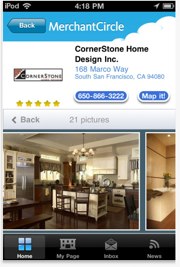
Let’s be honest. The idea of starting a business can feel…heavy. Leases, business loans, complicated software—it’s enough to make you put the dream back in the drawer. But what if your launchpad was already in your pocket? That’s right. Your iPhone isn’t just for scrolling and snapping pics; it’s a full-fledged entrepreneurship engine.
Here’s the deal: with a bit of creativity and the right apps, you can build a legitimate, income-generating side hustle—or even a full-time small business—without ever touching a traditional computer. It’s about working smarter, not harder, with the tool you already know. Let’s dive into how.
The iPhone Entrepreneur’s Toolkit: More Than Just Apps
First, shift your mindset. Your iPhone is your office, your storefront, your marketing department, and your shipping clerk. It’s all there. The key is to see its components not as consumer features, but as business assets.
Your Built-In Power Players
Honestly, we overlook the native stuff. The Camera is a 4K video studio and product photography rig. Notes and Reminders? That’s your project management system. Mail and Calendar keep client communications tight. And iCloud? That’s your secure, synced server. Before you download a thing, master these. They’re free and incredibly powerful.
Essential App Categories for Your Mobile Business
Okay, now for the apps that will specialize your operation. You don’t need fifty of them. Just a solid few in each category.
- Commerce & Payments: Think Shopify or Etsy for storefronts; Square or PayPal for invoices and card payments on the go. Stripe is great for more custom setups.
- Content Creation: Canva or Over for graphics; CapCut or iMovie for editing videos; Lightroom for photo polish. These are shockingly professional now.
- Communication & Service: Calendly for booking appointments; Zoom or Google Meet for client calls; Slack or even WhatsApp for team chats if you scale.
- Operations: Notion or Trello for organizing everything; Google Drive or Dropbox for file storage; QuickBooks Self-Employed for tracking mileage and expenses.
Side Hustle Ideas You Can Literally Run From Your Phone
Concrete ideas work best, right? Here are a few proven paths for a phone-only business model. The common thread? Leveraging what the iPhone does best: connecting, creating, and simplifying.
1. The Digital Creator & Consultant
This is huge. If you have knowledge, you have a product. Use your iPhone to record short-form video courses or tutorials. Offer one-on-one coaching via video call. Manage social media for small local businesses—you can create, schedule, and report all from apps like Meta Business Suite or Later.
2. The Handmade or Curated Goods Seller
Etsy and Instagram Shops are your best friends here. Photograph your products in natural light with your iPhone camera. Use the Notes app to track inventory and materials. Print shipping labels at home using a mobile printer and ship via USPS pickup. It’s a complete, circular system.
3. The Local Service Dynamo
Think: personal organizing, dog walking, plant care, or minor tech help for seniors. Your iPhone handles it all—booking (Calendly), payments (Square), before-and-after photos (Camera), and customer communication (Messages). You can build a five-star reputation without a formal office.
Overcoming the Real Challenges (Yes, There Are a Few)
It’s not all seamless, of course. Typing long proposals on a glass screen can be tedious. Screen size is a limitation for detailed design work. And, you know, battery life is the eternal enemy. But these aren’t deal-breakers; they’re just friction points to plan for.
| Challenge | Mobile-First Solution |
| Small Screen | Use a portable tablet stand and a Bluetooth keyboard/mouse for “desk mode.” |
| File Management | Stick to one cloud ecosystem (iCloud, Google) and use the Files app as your hub. |
| Professional Image | Use a clean email signature, professional voicemail, and tools like Calendly to appear polished. |
| Focus & Distraction | Leverage Focus modes to silence non-work apps during business hours. |
Workflow Tips: Making It All Flow
So how do you stitch these pieces into a smooth daily workflow? It’s about habits. Start your day by checking your one central task app—Notion or Reminders. Batch your creative work: maybe film three videos in one afternoon, edit them the next. Use automation tools like Shortcuts (the iPhone’s built-in automator) to do things like save email attachments straight to a specific cloud folder. Honestly, that one shortcut saves me a dozen taps a day.
And communication—set boundaries. Just because you can answer a client message at 9 p.m. doesn’t mean you should. Use your status or a polite auto-responder to manage expectations. You’re running a business, not just being on-call.
The Bottom Line: Your Pocket-Sized Potential
Building a small business with just an iPhone isn’t a compromise. In many ways, it’s a strategic advantage. It forces you to be lean, agile, and focused on the essentials. It keeps overhead at zero and allows you to start—literally—today. Not tomorrow. Not after you’ve bought all the gear. Today.
The barrier to entry has never been lower, but the ceiling? Well, that’s up to you. Your hustle is no less real because it fits in your hand. In fact, that might just be its superpower.

More Stories
Offline Navigation and Maps with iPhone: Your Pocket Compass When the Signal Dies
iPhone Accessibility Features for Neurodivergent Users: A Practical Guide (2025 Edition)
Privacy-first iPhone photography workflow