
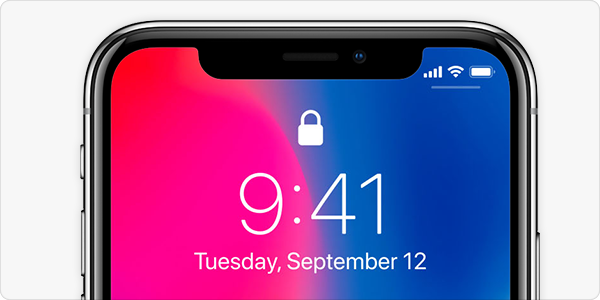
Picture this: your phone buzzes. A text from “Apple Support” says your iCloud account is locked and you need to verify your identity right now. The link looks legit. The panic feels real. And just like that — you’re the target of a social engineering attack.
Honestly, iOS has a reputation for being the “safe” mobile platform. And in many ways, it earns that badge. Sandboxing, App Store vetting, hardware-level encryption — Apple built a fortress. But here’s the uncomfortable truth: attackers stopped trying to break down the walls a long time ago. Now they just ask you to open the door.
That’s the essence of social engineering. It’s not hacking code; it’s hacking people. And phishing is its favorite delivery vehicle. For iOS developers, product teams, and security folks, this shift changes everything about how we think about app security.
Why iOS Users Are Prime Targets Right Now
There’s a psychological quirk worth understanding. iPhone users tend to trust their devices more. They’ve heard “iPhones don’t get viruses” so many times that skepticism fades. Attackers exploit that confidence ruthlessly.
Add in a few current trends, and you’ve got a perfect storm:
- Smishing is exploding — phishing via SMS and iMessage. It bypasses email filters entirely.
- Deepfake voice calls are now cheap and convincing. Imagine a “bank rep” calling with your real account details.
- Malicious TestFlight invites and fake enterprise profiles trick users into installing rogue apps.
- QR code phishing (quishing) — scanning a code at a “parking meter” that actually harvests credentials.
See the pattern? None of these require a jailbreak. None need a zero-day exploit. They just need a distracted human at 11 p.m. — and that’s most of us.
The Anatomy of a Modern iOS Phishing Attack
Let’s break down how a typical attack unfolds, because understanding the kill chain helps you design defenses that actually matter.
Stage 1: The Hook
It starts with urgency. A delivery notification. A password reset. A “suspicious login” alert. The message lands via SMS, WhatsApp, or even a calendar invite — channels users don’t associate with spam.
Stage 2: The Lookalike
The link opens a pixel-perfect clone of a login page. Sometimes it’s rendered in Safari with a fake address bar. Other times, attackers use homoglyph domains — like “app1e.com” with a numeral one. Your brain fills in the gap.
Stage 3: The Harvest
Credentials get captured. Sometimes an OTP too. If the target app lacks proper protections, the attacker now owns the account.
Stage 4: The Pivot
This is where it gets nasty. The compromised account becomes a launchpad — sending more phishing messages to the victim’s contacts, all from a trusted source.
Practical Defenses: What Developers and Teams Can Actually Do
Here’s the deal — you can’t patch human nature. But you can absolutely make your app a harder target and your users more resilient. Let’s walk through the layers.
1. Lock Down Authentication Flows
Weak auth is an open invitation. Strengthen it with:
- Passkeys (WebAuthn) — phishing-resistant by design, since there’s no shared secret to steal.
- Hardware-backed biometrics via Secure Enclave, not just a simple Face ID toggle.
- Number matching for MFA instead of one-tap push approvals. It kills MFA fatigue attacks.
- Rate limiting and anomaly detection on login attempts from new devices or geographies.
Sure, passkeys still feel new to some users. But the security payoff is enormous.
2. Harden In-App Communication
If your app sends emails or push notifications, attackers will imitate them. Fight back by:
- Never including clickable login links in transactional messages.
- Adding a consistent, verifiable sender signature users can recognize.
- Using in-app messaging for sensitive alerts rather than external channels.
3. Detect and Block Suspicious WebViews
Many phishing pages load inside embedded WebViews. You can restrict navigation to trusted domains, warn users before external links open, and disable JavaScript where it’s not needed. Small friction, big protection.
4. Educate — But Smarter
Annual security training? Honestly, most people click through it in four minutes. Instead, try contextual, in-the-moment nudges. If a user is about to enter credentials after tapping a link from an unknown sender, show a gentle warning. That’s teachable timing.
Comparing Common Attack Vectors and Countermeasures
| Attack Vector | How It Works | Best Countermeasure |
|---|---|---|
| SMS phishing (smishing) | Fake urgent text with malicious link | Link preview warnings, user education |
| MFA fatigue | Repeated push prompts until user approves | Number matching, rate limiting |
| Fake TestFlight invite | Rogue app install via beta link | Verify developer identity, restrict profiles |
| QR code phishing | Malicious QR redirects to fake login | In-app QR scanner with domain checks |
| Voice deepfake | Cloned voice requests sensitive action | Callback verification, out-of-band confirmation |
The Role of Apple’s Ecosystem — and Its Limits
Apple keeps adding tools: Advanced Data Protection, Lockdown Mode, iMessage Contact Key Verification, Safety Check. These are genuinely powerful. Lockdown Mode, for instance, strips down attack surface dramatically for high-risk users.
But — and this matters — none of these features stop a user from typing their password into a convincing fake page. Platform security and user behavior are two different battlegrounds. You need to fight on both.
Emerging Threats on the Horizon
Keep an eye on these, because they’re moving from theory to reality fast:
- AI-generated phishing content that mimics a colleague’s writing style perfectly.
- Malicious keyboard extensions that log keystrokes across apps.
- Social engineering via App Clips — lightweight, easy to spoof.
- Cross-app tracking abuse to build eerily accurate pretexts for scams.
In fact, some security researchers predict that by 2027, social engineering will be the number one initial access vector for mobile breaches. Not exploits. Not malware. Manipulation.
Building a Security Culture, Not Just a Checklist
Here’s the thing nobody likes to hear: security isn’t a feature you ship. It’s a habit you practice. For iOS teams, that means threat modeling social engineering scenarios alongside technical ones. It means running red-team simulations that target people, not just systems. And it means treating user trust as a product asset worth protecting.
When you design an app, ask yourself: if a clever stranger called my user right now, could they talk them into giving up access? If the answer is yes, you’ve got work to do.
The fortress walls are strong. The gate, though — that’s where the battle is fought. And it’s guarded by humans, with all our hurry, hope, and occasional gullibility. Design for that reality, and your iOS app stands a far better chance.



More Stories
Building iOS Apps for Specialized Professional Workflows (e.g., Healthcare, Field Service)
Creating localized iOS experiences for specific global regions and cultures
Optimizing iOS App Performance for Emerging Foldable iPhone Form Factors